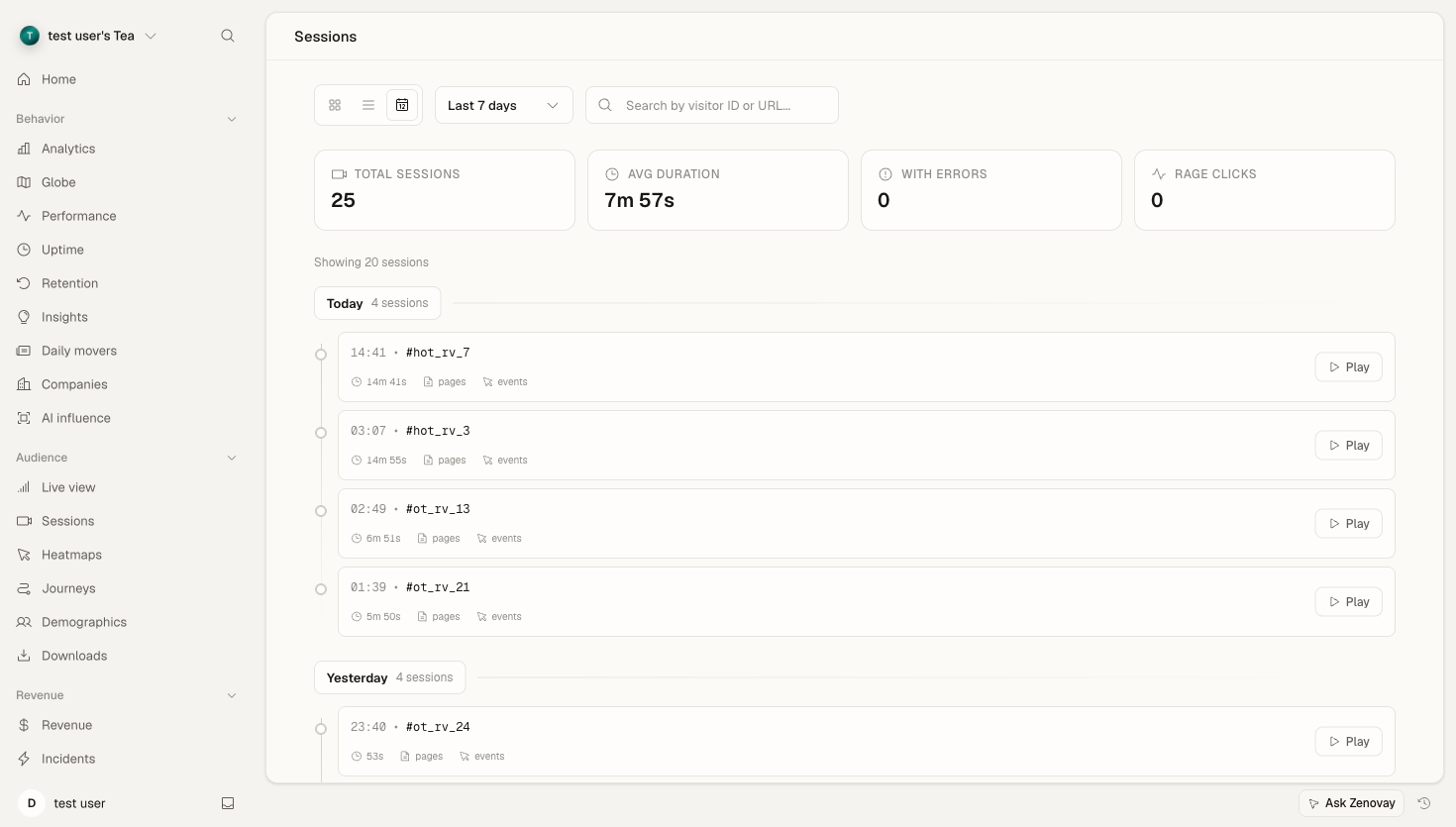
Session Replay lets you watch recordings of real user sessions on your website. See exactly what visitors see, where they click, and how they navigate.
What Is Session Replay?
Session Replay records visitor interactions on your website:
| Captured | Description |
|---|---|
| Page content | What the visitor saw |
| Mouse movements | Cursor path and hover |
| Clicks | Where users clicked |
| Scrolling | Scroll depth and speed |
| Form inputs | Fields focused (not values) |
| Errors | JavaScript errors encountered |
Why Use Session Replay?
Understand User Behavior
See the visitor's perspective:
- What caught their attention
- Where they got confused
- Why they abandoned checkout
- How they navigate your site
Debug Issues
Watch problems happen:
- Reproduce user-reported bugs
- See errors in context
- Identify UX friction points
- Find broken features
Improve Conversions
Learn what works:
- Study successful conversions
- Compare to abandoning users
- Test hypothesis with real behavior
- Validate A/B test results
Key Features
Complete Session Recording
Every session is captured:
- Full page rendering
- Dynamic content changes
- Single-page app navigation
- Responsive breakpoint changes
Smart Playback
Efficient replay controls:
- Skip inactive periods
- Speed up slow parts
- Jump to specific events
- Share timestamps
Privacy First
User privacy protected:
- Every input value masked, and this cannot be switched off
- Password and payment-card fields blocked from capture entirely
- Rendered page text captured as shown, unless you switch text masking on
- Per-element masking and route exclusions you configure
Session Replay vs. Heatmaps
| Feature | Session Replay | Heatmaps |
|---|---|---|
| View type | Individual sessions | Aggregate data |
| Detail level | Every action | Click/scroll patterns |
| Use case | Debug, understand flow | Optimize layout |
| Data volume | One session at a time | All sessions combined |
Use both for complete insight:
- Heatmaps: "Where do users click most?"
- Sessions: "Why did this user not convert?"
Plan Comparison
| Feature | Pro | Scale | Enterprise |
|---|---|---|---|
| Session recording | ✓ | ✓ | ✓ |
| Retention | 60 days | 120 days | 180 days |
| Heatmaps | ✓ | ✓ | ✓ |
| Rage click detection | ✓ | ✓ | ✓ |
| Error linking | ✓ | ✓ | ✓ |
| Custom events | ✓ | ✓ | ✓ |
| API access | ✓ | ✓ | ✓ |
| Download sessions | ✗ | ✓ | ✓ |
Getting Started
Enable Session Replay
Session Replay is included on Pro plans and above:
- Open your website's settings and go to the Advanced tab
- Turn on the Session Replay toggle
- Choose a recording trigger — record only sessions with errors, or record all sessions
- Set your privacy options (input masking, text masking, excluded routes) in the same Advanced tab
No Code Changes Needed
If you already have Zenovay tracking:
- Recordings start automatically
- Same script handles replay
- No additional installation
First Recording
After enabling:
- Wait for site traffic
- Sessions appear within minutes
- Review in Sessions tab
What Gets Recorded
Captured Elements
| Element | Recorded | Notes |
|---|---|---|
| Page layout | ✓ | Full DOM snapshot |
| Images | ✓ | As displayed |
| CSS styles | ✓ | Computed styles |
| Animations | ✓ | CSS/JS animations |
| Videos | Placeholder | Privacy concern |
| Forms | Fields only | Values masked |
| Rendered text | ✓ | As shown, unless Mask Text Content is on |
User Actions
| Action | Recorded |
|---|---|
| Mouse movement | ✓ |
| Clicks | ✓ |
| Scrolling | ✓ |
| Typing | Masked |
| Tab focus | ✓ |
| Copy/paste | Event only |
Not Recorded
For privacy and security:
- Password field content
- Credit card numbers
- The value of any input, textarea, or select
- Personal data in marked fields
- Clipboard contents
- File uploads content
Note what is missing from that list: personal data your page prints as ordinary text is recorded unless you mask it. See Redacting PII in recordings.
Recording Workflow
How It Works
- Visitor loads page → Initial DOM snapshot
- User interacts → Changes captured as events
- Data sent → Compressed, privacy-filtered
- Stored securely → Encrypted at rest
- Available for playback → In Sessions tab
Performance Impact
Recording is lightweight:
- Minimal CPU overhead (<1%)
- Small bandwidth increase (~50KB per page)
- No visible lag to users
- Async data transmission
Viewing Sessions
Access Recordings
- Open your website's dashboard and select the Sessions tab
- Browse the session list
- Click a session to play it
- Use the player controls to navigate
Session List Shows
| Column | Information |
|---|---|
| Time | When session occurred |
| Duration | Session length |
| Pages | Page count |
| Country | Visitor location |
| Device | Desktop/Mobile/Tablet |
| Status | Active, Completed, Error |
Quick Filters
Pre-built filters:
- Recent sessions
- Long sessions (5+ min)
- Short sessions (<1 min)
- Sessions with errors
- Sessions with rage clicks
Privacy & Compliance
Privacy-First
Session Replay respects privacy:
- Input values always masked, password and card fields blocked
- Text masking, per-element hooks, and route exclusions you configure
- Recordings can be deleted on request
- Retention limits enforced per plan
Data Masking
Input values are always masked and password and card fields are always blocked, with no setting involved. What you configure in your website's Advanced settings is everything else:
- Mask all text content, off by default, which masks the text your page renders
- Exclude specific routes from recording
Learn More
See Session Storage & Privacy for details.